Lunch Menu
Chartwells is the catering provider for Fair Oak Junior School, offering a range of freshly prepared meals for pupils each day.
School meals are priced at £2.75. To order a meal, parents and guardians are required to book their child’s choice in advance from home using the Arbor App. Please ensure there is sufficient credit on your child’s account before booking, as meals can only be ordered when the balance covers the full cost.
Further information on how to place meal orders is provided below.
The menus for the Summer term starting 1st June 2026 can be found by clicking the image below:
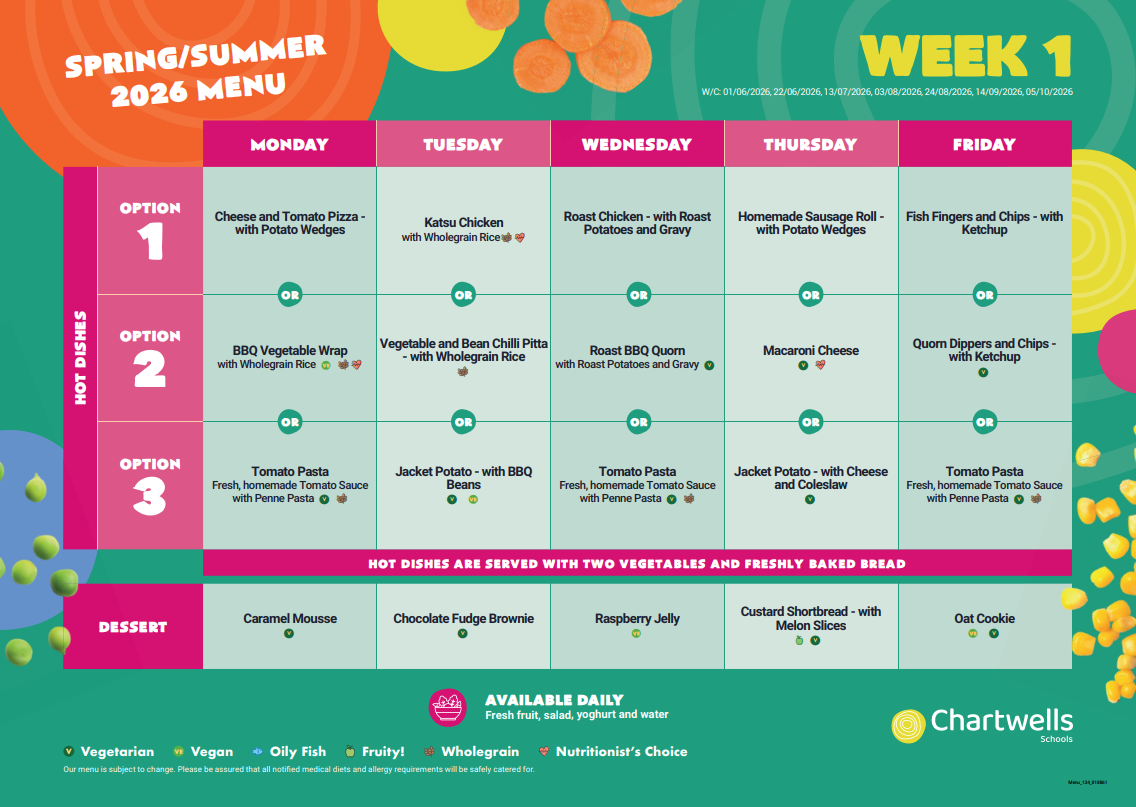
IMPORTANT - Children will be able to select from the usual red or green option but in addition, they have the choice of jacket potato or tomato pasta every day - so the option 3 section will become tomato pasta or jacket potato each day.
If your child is having a packed lunch from home:
When preparing your child's lunch box, please remember we are a NUT-FREE school. This includes fillings such as Nutella. Lunch boxes should not include sweets, chocolates or fizzy drinks but some healthy foods to keep your child fuelled through the day.
How to Order Your Child's Lunch on Arbor
In order to successfully select meals for your child(ren), please ensure that your Arbor account has sufficient funds. If your account has a zero or insufficient balance, the system will not allow you to proceed with lunch selections. Families in receipt of Free School Meals will still be able to place lunch orders through your account.
Lunches can be booked daily, weekly, or for the entire term, depending on what best suits your family.
Please note that all lunch choices must be made by 8:15am on the day your child is having a school dinner. Orders placed after this time will not be accepted, and a packed lunch will need to be provided.
Please be aware that all lunches booked online are confirmed orders. Once a meal has been selected, children will not be able to change their choice on the day with their teacher, as changes are not permitted. We kindly ask that you remind your child what has been ordered for them each day, as this will help avoid confusion at registration time and reduce the need for calls home to bring in a packed lunch instead. If a school lunch has not been ordered and a child arrives without a packed lunch, parents will be expected to provide a lunch, as late lunches are not available.
How to book my child's lunch
-
Log in to the Arbor Parent Portal or Parent App.
-
From the main menu, select Meals.
-
Click on Spring Term Lunch to open the menu in a new window.
-
You can top up your account at this stage or choose to pay at the end once all meals have been selected.
-
Select a day in the week you would like to book a lunch; this will open a new window.
-
Choose a meal from the menu for that day.
-
Select one of the available options (please only choose a special diet if this has been arranged directly with the caterers).
-
Click Proceed to confirm your selection. To book additional days or weeks, select Add More and repeat the steps as needed.
-
Once all meals have been selected, click Go to Basket.
-
Complete payment for the meals.
Further guidance can also be found here:
https://support.arbor-education.com/hc/en-us/articles/6956696271261-Meal-Menu-choices-on-the-Parent-Portal-or-Parent-App
If you have any questions, please contact the school office.
FAQ's
Why has the cost of the lunch not yet been deducted from my child’s lunch account, even though a lunch has been ordered?
The charge will be applied to your account on the day the lunch is provided after 1:15 pm.
Free School Meals Information
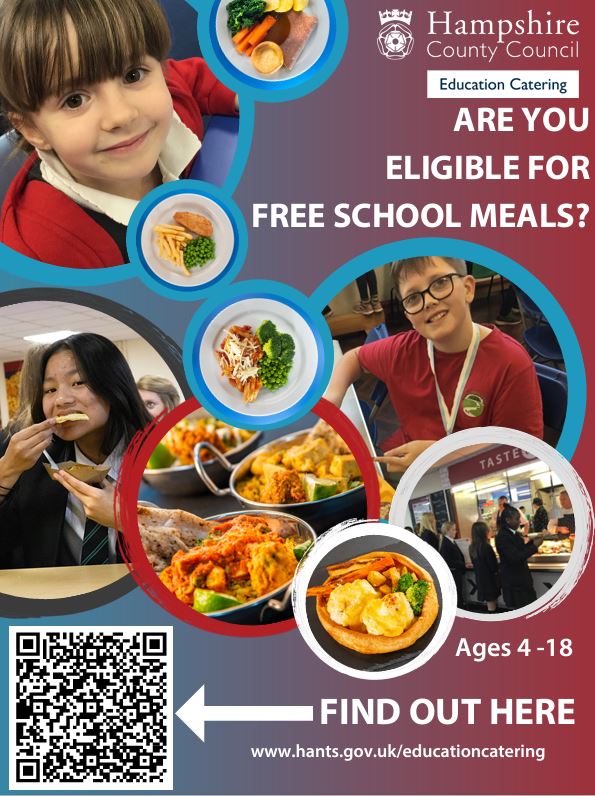
Your child may be eligible for free school meals if you receive certain benefits. You can find more information about this by clicking on the image below. Here you will also find information about using the online checking facility. If you have any other queries about this, then please contact the school office.
Upcoming Changes
From September 2026, the eligibility criteria for Free School Meals will change. All households receiving Universal Credit will be included, but eligibility will be divided into two groups:
- Targeted Free School Meals
For households receiving Universal Credit with an annual income below £7,400.
- Expanded Free School Meals
For households receiving Universal Credit with an annual income above £7,400.
What You Need to Do
- If your child already receives Free School Meals and you have applied through the Hampshire portal, you do not need to do anything.
- If you think your child may now be eligible, please submit an application through the Hampshire portal:
Free school meals | Education and learning | Hampshire County Council
- Please note: children eligible under the expanded criteria will only begin to receive Free School Meals from September 2026.
If You Disagree with a Decision
If you have applied and believe the decision is incorrect, please contact your child’s school. The school can contact Hampshire County Council on your behalf to request further advice.
Important Information for Reception and Key Stage 1 Parents
All children in Early Years Foundation Stage or Key Stage 1 already receive free meals under the Universal Infant Free School Meals scheme. However, we still encourage you to apply.
This is because schools receive Pupil Premium funding for children who qualify under Targeted Free School Meal eligibility. This funding helps support your child during their time at school.
Transitional Protections (until August 2026)
Transitional protections have been in place since 1 April 2018 and will continue until the end of the 2025 to 2026 school year.
During this time:
- Any child who becomes eligible for benefits based Free School Meals will continue to receive them until July 2026.
- This will not change even if household income increases.
From September 2026, these protections will end. From this point, all families must meet the new eligibility rules for their child to receive Free School Meals.
For more information on Free School Meals please follow this link to the Government Website - Apply for free school meals - GOV.UK
Special Diets
If your child requires a special diet, then you can request this through Chartwells. Parents will need to provide a packed lunch until the special diet is available.
To find out more about please visit Chartwells website here.
There is no need to apply for a special diet menu if your child is a vegetarian, has a nut allergy or diabetes.
For children with diabetes, please contact the school office who will be able to provide you with a carbohydrate list for the menu on offer. Alternatively, you can view this here.